


Creating a home workspace that is both relaxing and productive can make a significant difference to your work-from-home experience. With many of us spending more hours working remotely, it’s essential to design an environment that supports your focus, creativity, and wellbeing. This post outlines practical tips that help you set up a space where you can feel calm, organised, and motivated.
Why Your Workspace Matters
Your surroundings affect not only your efficiency but also your mood. A cluttered or uncomfortable space can increase stress and fatigue, while a well-designed environment encourages concentration and a positive mindset. Balancing relaxation and productivity ensures you stay motivated without feeling overwhelmed.
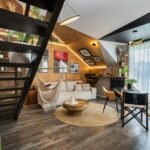
Choosing the Right Space
Find a Dedicated Area
Select a spot in your home where you can create a dedicated workspace, separate from your living or sleeping areas. This helps to establish boundaries between work time and personal time.
Consider Natural Light
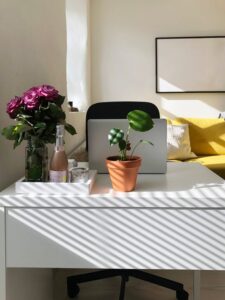
Natural daylight improves mood and focus. Position your desk near a window if possible, but avoid glare on your screen. If natural light is limited, invest in quality task lighting to reduce eye strain.
Furniture and Ergonomics
Invest in a Comfortable Chair
A good ergonomic chair supports your back and promotes good posture. This reduces the risk of discomfort or injury during long working hours.
Use a Suitable Desk
Choose a desk that fits your space and allows you to keep your essentials organised. If space permits, an adjustable desk that lets you alternate between sitting and standing can be beneficial.
Monitor and Keyboard Placement
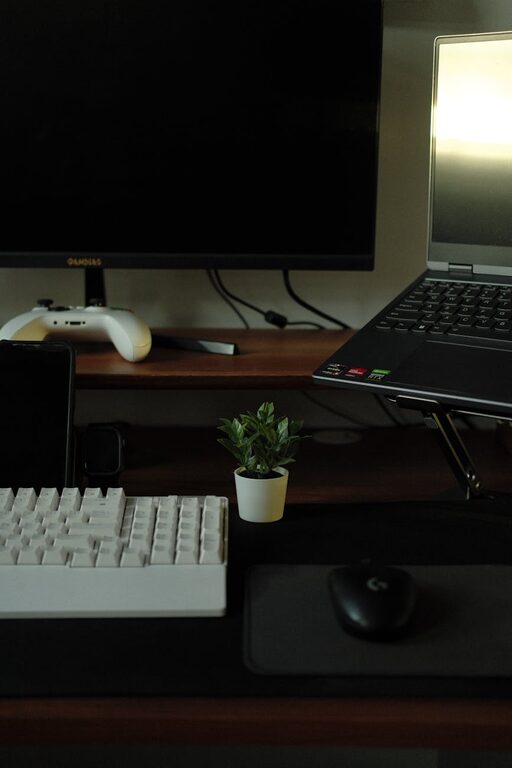
Place your monitor at eye level to avoid neck strain, and keep your keyboard and mouse within easy reach. Ergonomic accessories like wrist rests can add comfort.
Organising Your Workspace
Declutter Regularly
A tidy workspace reduces distractions. Make a habit of clearing your desk at the end of each day and removing items you don’t regularly use.
Storage Solutions
Use shelves, drawers, or organisers to keep stationery, documents, and equipment neatly stored. Labelled containers can speed up finding what you need.
Cable Management
Use clips, ties, or boxes to keep cables organised and out of the way. This makes your space look neat and prevents accidental damage.
Creating a Relaxing Atmosphere
Colour and Décor
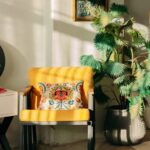
Choose calming colours such as soft blues, greens, or neutrals. Personalise your space with items that inspire you, like plants, artwork, or photos, but avoid clutter.
Plants and Fresh Air
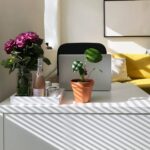
Indoor plants not only brighten the space but also improve air quality and reduce stress. Regularly open windows for fresh air to keep the environment pleasant.
Ambient Sound
If silence feels too isolating, consider soft background music or white noise machines. These can mask distracting sounds and aid concentration.
Maintaining Work-Life Balance
Set Clear Working Hours
Define specific work hours to prevent your workspace from taking over your home life. When the day ends, close the door or switch off your computer to signal time to relax.
Take Regular Breaks
Follow the 50-10 or 25-5 work-break ratio to rest your eyes and move around. Short breaks can boost creativity and reduce fatigue.
Incorporate Movement
Set up a space for stretching or simple exercises near your workspace. Physical activity can refresh your mind and body during the day.
Technology and Digital Organisation
Reliable Equipment
Invest in good quality devices and a stable internet connection to avoid frustration and interruptions.
Digital Declutter
Keep your digital files organised with folders and clear naming conventions. Close unnecessary tabs and disable non-essential notifications to stay focused.
Final Thoughts
Designing a home workspace that feels both relaxing and productive takes some effort but pays off with better focus and wellbeing. By paying attention to comfort, organisation, and atmosphere, you create an environment where work feels less like a chore and more enjoyable. Remember, your workspace should adapt to your needs — feel free to experiment and personalise it until it suits you perfectly.

More Stories