




Creating a home office that promotes both focus and comfort is essential for anyone working remotely or managing tasks from home. A well-designed workspace can significantly increase your productivity while reducing stress and discomfort. This guide offers practical tips to help you set up a productive home office tailor-made to your needs.
Why a Good Home Office Space Matters
Working from home can present unique challenges. Without the right environment, distractions may creep in, and staying motivated might become difficult. A dedicated, comfortable area encourages better concentration and creates a clear boundary between work and leisure.
—
Choosing the Right Location
Selecting the perfect spot for your home office is the first step to boosting productivity.
– Quiet and private: Try to choose a room or corner away from high-traffic areas to minimise distractions.
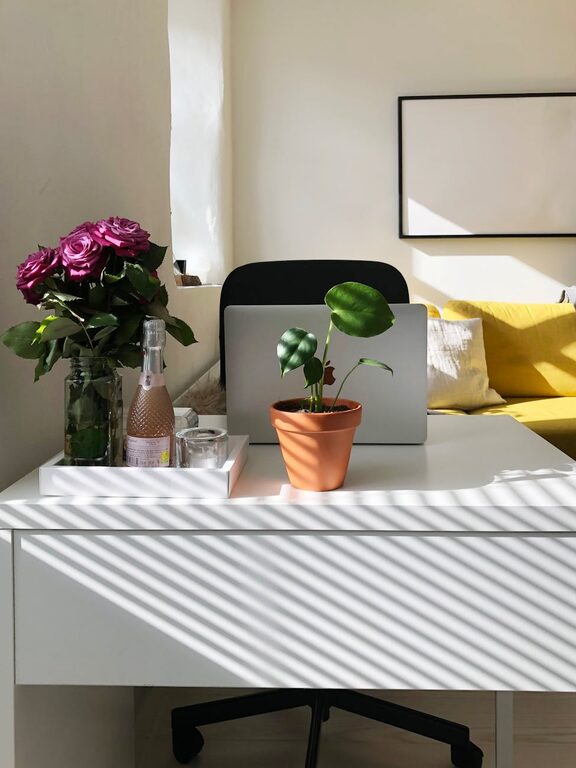
– Natural light: Position your desk near a window if possible. Natural light improves mood and reduces eye strain.
– Ventilation: Fresh air flow is important for maintaining alertness and comfort.
—
Ergonomic Furniture for Comfort and Health
Comfort plays a vital role in how long you can work effectively without fatigue or discomfort.
Desk and Chair
– Adjustable chair: Invest in an office chair with good lumbar support and adjustable height to fit your body.
– Appropriate desk height: Your desk should allow you to work with your forearms parallel to the floor and wrists straight.
– Footrest: If your feet don’t reach the floor comfortably, use a footrest to reduce strain.
Monitor and Accessories
– Screen at eye level: Avoid neck strain by placing your monitor so the top of the screen is at or slightly below eye level.
– Keyboard and mouse placement: Keep these close to avoid overstretching your arms.
– Cable management: Use clips or sleeves to organise cords for a tidy work area.
—
Organising Your Workspace
A clutter-free space helps maintain focus and reduces stress.
– Storage solutions: Use shelves, drawers, or boxes to store documents and supplies neatly.
– Desktop organisation: Only keep essential items on your desk to limit distractions.
– Digital tidiness: Regularly clean up your computer desktop and organise files into folders.
—
Lighting Tips for Productivity
Good lighting reduces eye fatigue and boosts energy.
– Combine natural and artificial light: Use daylight when possible and supplement with a quality desk lamp.
– Avoid glare: Position screens to prevent reflections or glare from windows and lights.
– Warm or cool light: Cooler lights are better for focus and alertness, while warmer lights create a cosy atmosphere—choose according to your preference.
—
Adding Personal Touches Wisely
A personalised office can improve mood and motivation but should not distract from work.
– Inspiring décor: Add artwork or photos that inspire you without overwhelming the space.
– Plants: Indoor plants improve air quality and add a calming element.
– Comfort items: A small cushion or blanket can make your chair more comfortable.
—
Maintaining Healthy Work Habits
Even the best office setup won’t help if you don’t adopt good habits.
– Regular breaks: Take short breaks every hour to stretch and rest your eyes.
– Set boundaries: Establish clear working hours to separate work from personal time.
– Stay hydrated: Keep a water bottle nearby and drink regularly.
—
Technology and Connectivity
Ensuring your tech setup is reliable and efficient supports smooth workflow.
– Strong internet connection: Check that your Wi-Fi or wired connection is stable.
– Necessary equipment: Use a good quality headset, webcam, or printer as needed.
– Backup solutions: Regularly save work and consider cloud storage to prevent data loss.
—
Final Thoughts
Crafting a home office space that balances comfort and focus doesn’t require a complete redesign or expensive equipment. Small adjustments like investing in ergonomic furniture, organising your desk, and optimising lighting can make a significant difference in your daily productivity. Remember that your workspace is personal—adapt these tips to suit your preferences and work style for the best results.


More Stories
Simple Steps to Create a Relaxing Garden Space at Home
Creating a Relaxing and Productive Home Workspace: Essential Tips
Tips for Creating a Cosy Reading Nook in Your Home